More music. Less paper.
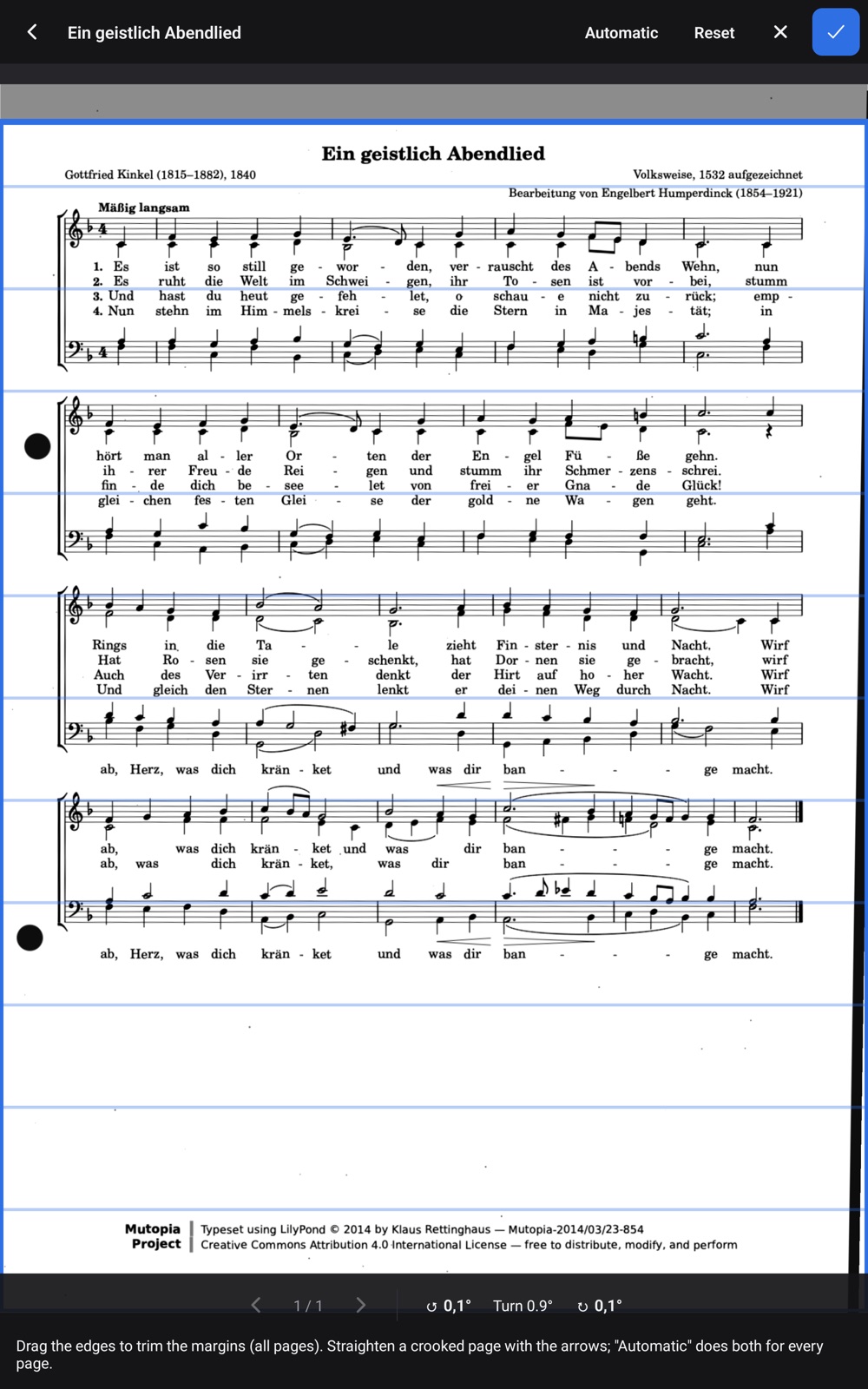
Stavora trims the empty margins from your PDF scores and straightens crooked scans so the music fills the screen. Mark it with a pen and turn pages with a tap or a pedal – in rehearsal, on stage or practising at home.
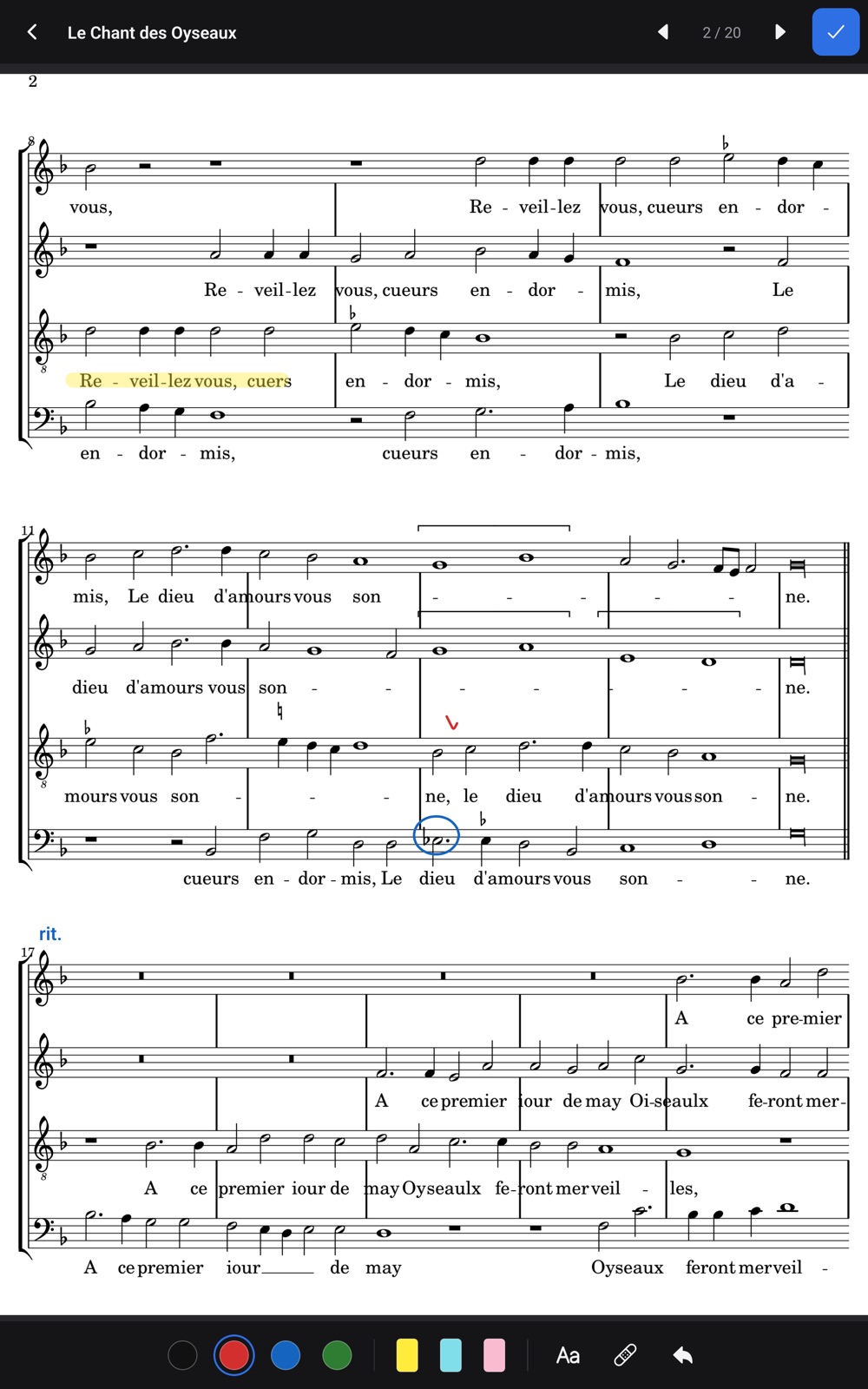
Made for rehearsals and concerts
In rehearsal the music has to be big, the markings have to stay, and the page has to turn without fumbling. Everything else comes second.
Automatic cropping
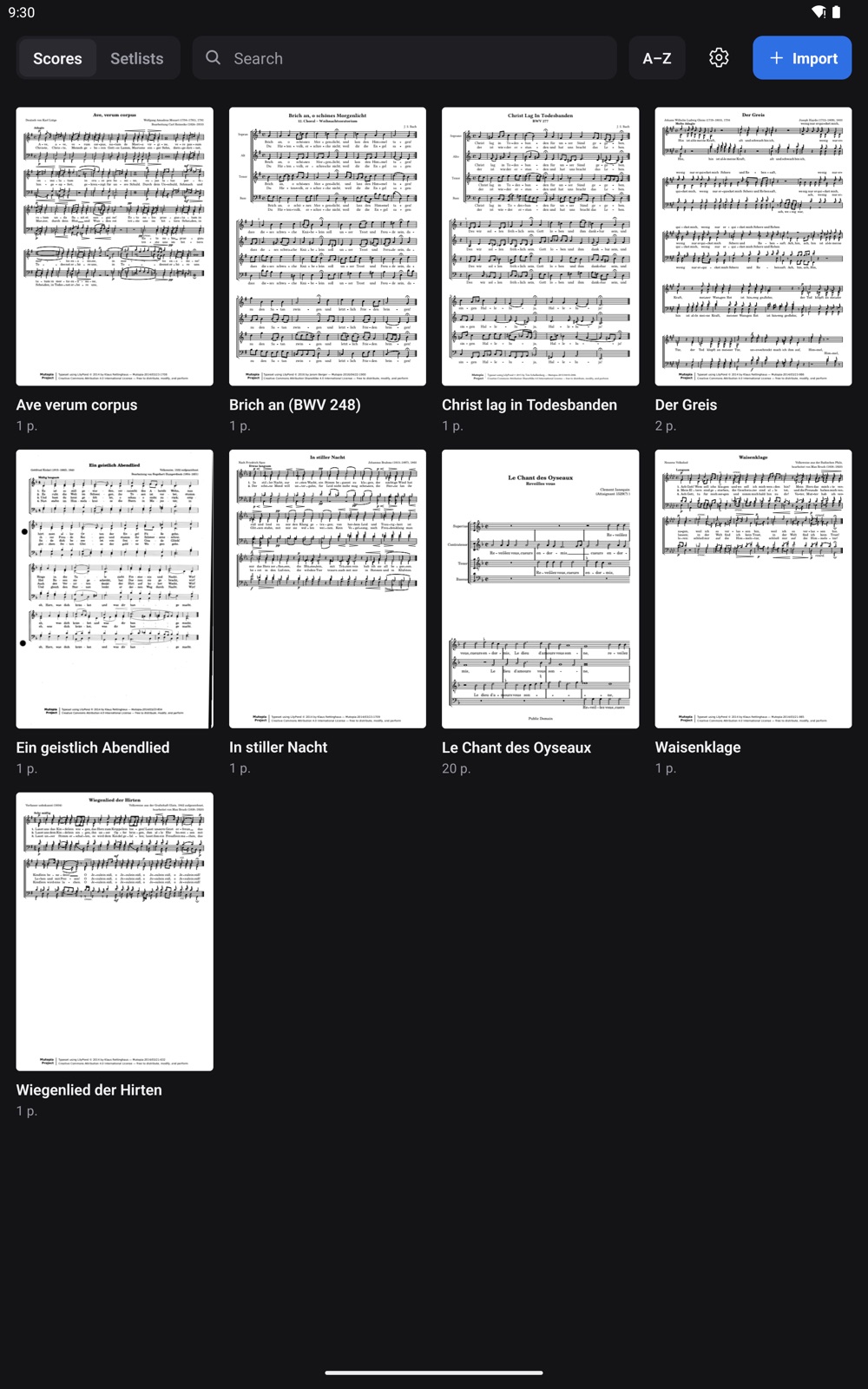
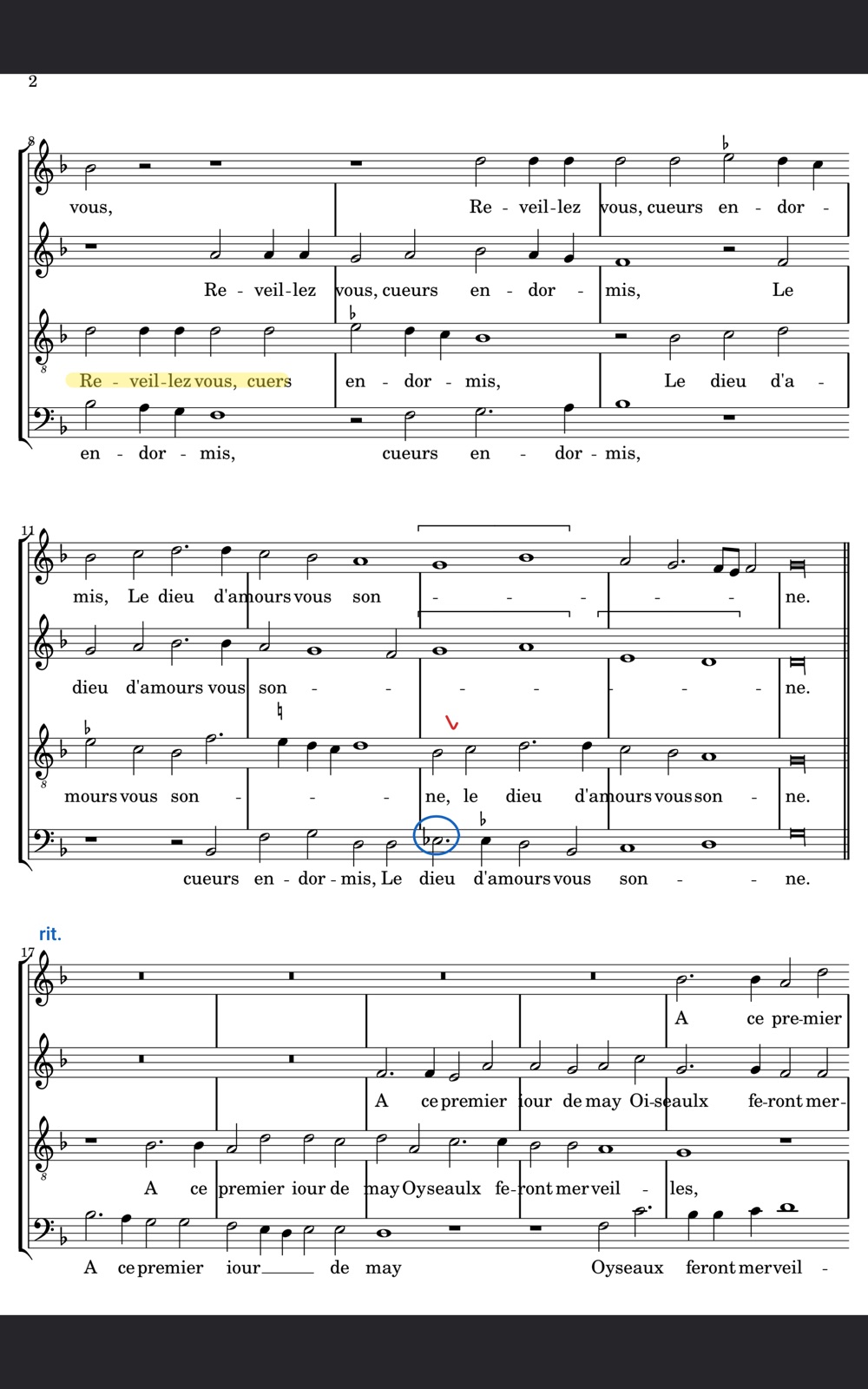
Empty margins are trimmed on import, scanned scores included. Notes written in the margins stay, hole punches and specks go, and grey scanned paper turns white.
Pen markings
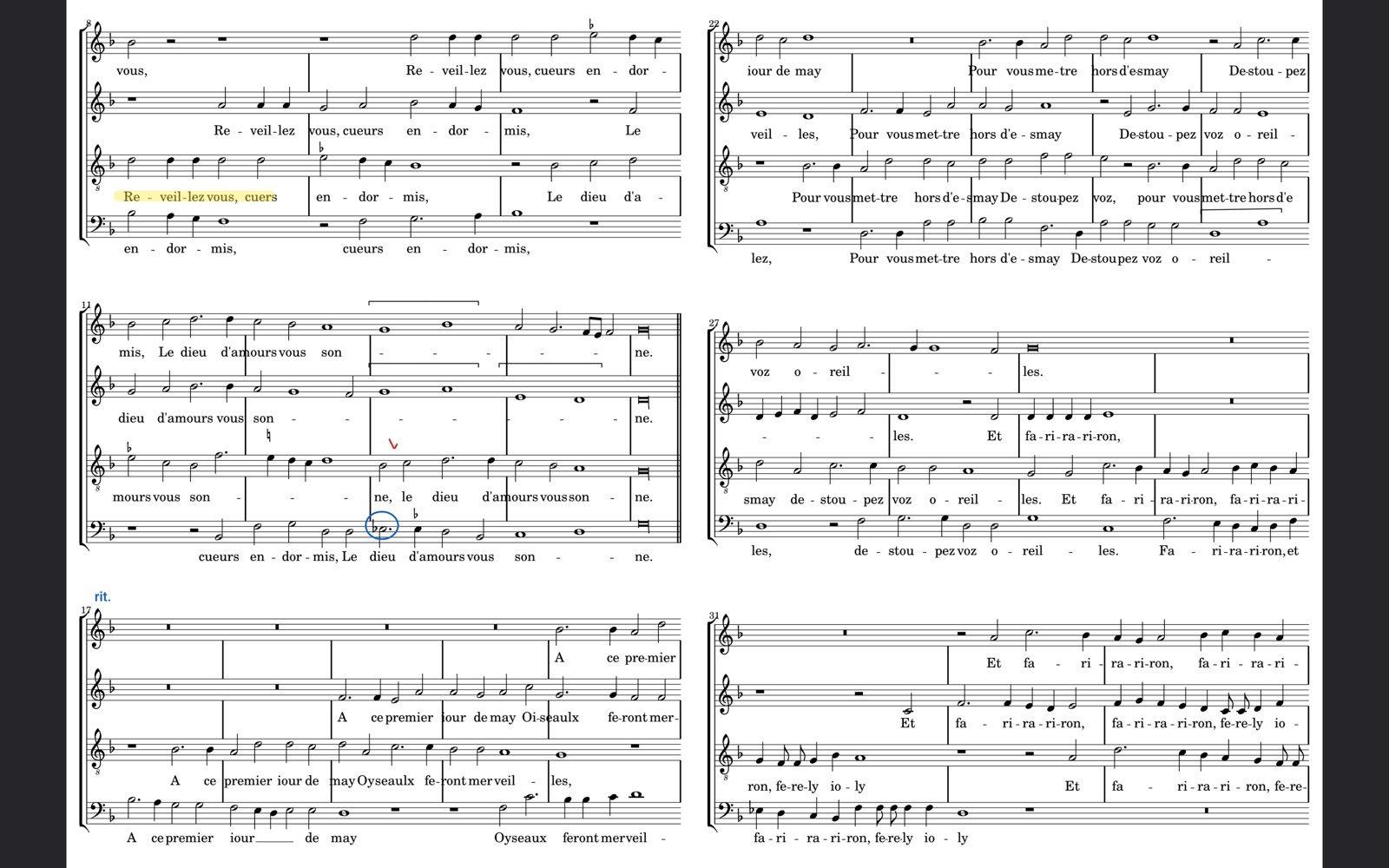
Write straight onto the score: four colours, a highlighter, text notes, an eraser and undo. With an active stylus you just start writing; your finger turns the page. The original PDF is never changed.
Setlists
Put the concert programme together by dragging. After a piece's last page comes the next piece, and the corner shows what's next.
Page-turn pedals
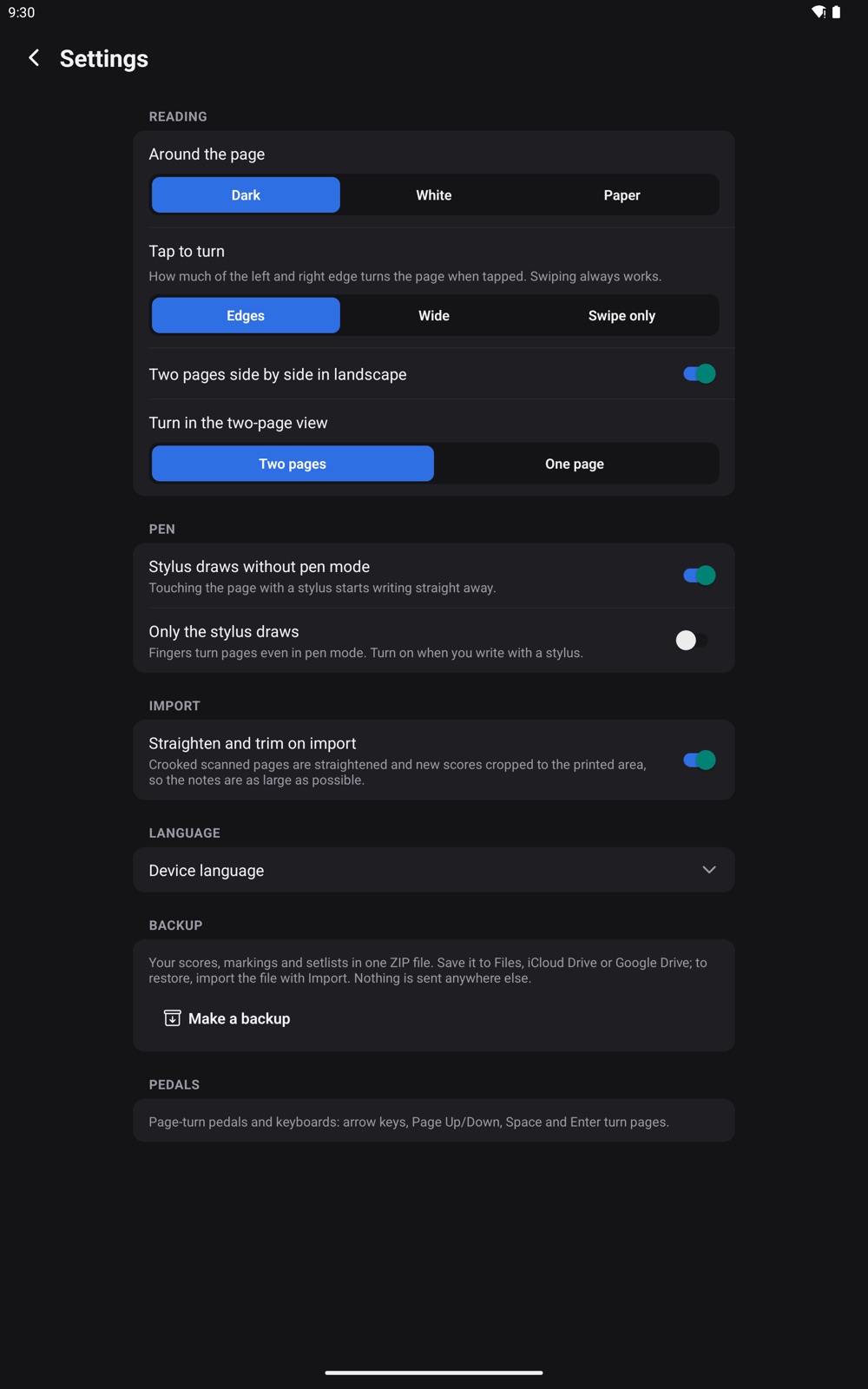
Bluetooth pedals and keyboards turn pages: arrow keys, Page Up/Down, Space and Enter.
From files and the cloud
Pick several PDFs at once from the device or a cloud service such as iCloud Drive, Google Drive or Dropbox. You can also open a PDF from another app straight into Stavora, or bring in a whole folder as a ZIP.
Tablet and phone
Designed for a tablet in portrait, and works on a phone too. In landscape a tablet shows two pages; a phone moves on one line of music at a time.
Everything you need, nothing you don't
While you read, only the music is on screen. Tap the middle of the page for the tools, or hold a finger still for a moment to start marking.
Two pages at a time
Turn the tablet to landscape to see two pages side by side and turn less often. Your markings come along.
A whole concert as one score
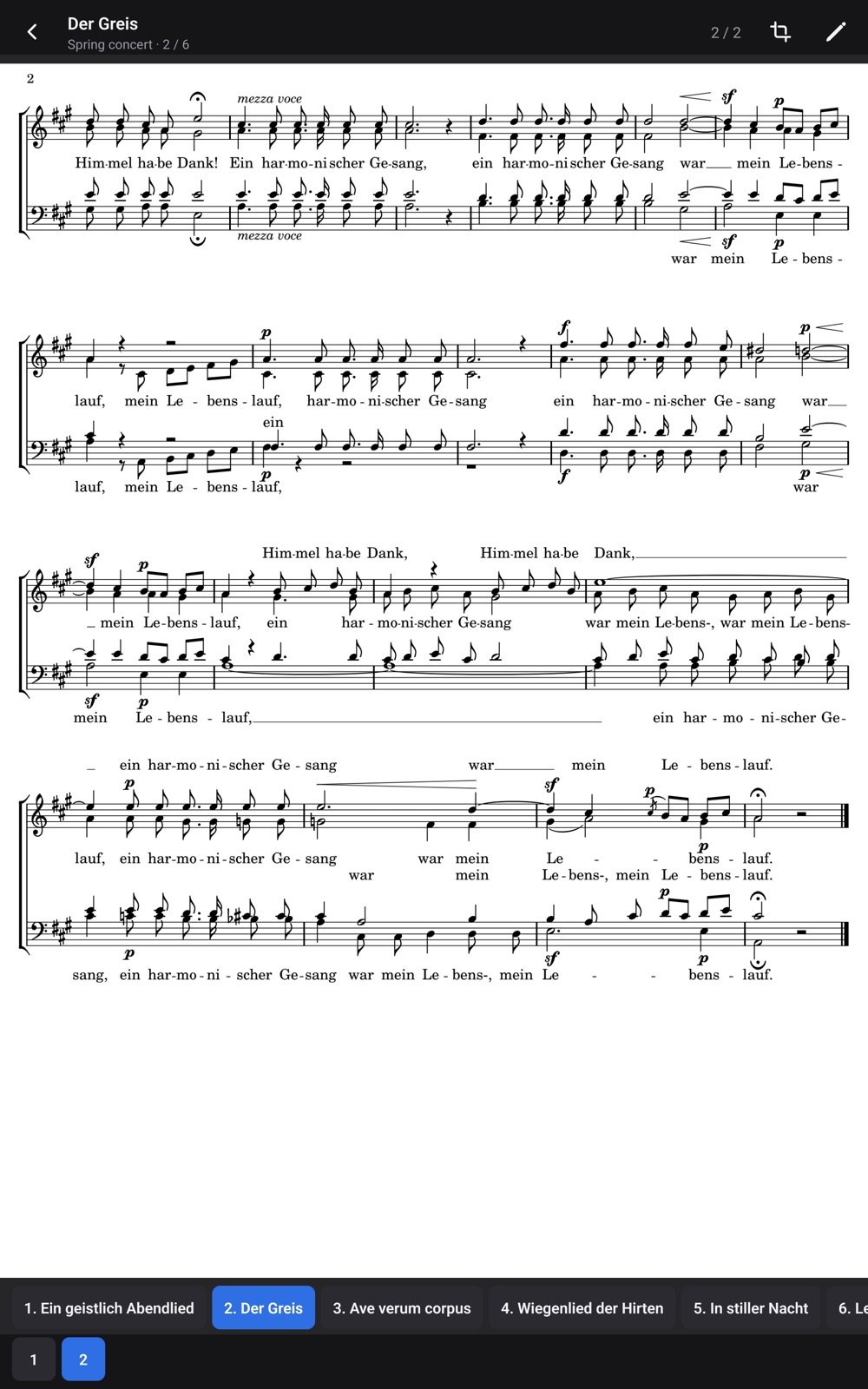
A setlist puts its pieces one after another like a single booklet, so the page turns the same way all evening.
- Straight to the next piece. Forward from a piece's last page opens the next piece; back from its first page opens the end of the previous one.
- Jump anywhere. The toolbar lists every piece and page.
- Easy to build. Pick the pieces in the order you want and reorder them by dragging. A folder imported as a ZIP becomes a setlist right away.
Getting started
No accounts, no sign-up.
Import your scores
Pick PDFs from the device or a cloud service, or open them from another app straight into Stavora.
Read and mark
The score comes cropped. Mark what the conductor says.
Build a setlist
At the concert, turn from piece to piece with a tap or a pedal.
Your scores stay with you
Stavora runs entirely on your device.
- No account, no ads, no tracking.
- PDFs and markings are stored only on the device. The app never sends them anywhere.
- PDFs are drawn by the operating system's own PDF engine.
- A backup is one ZIP file that you save wherever you like.

Coming soon
Stavora is in testing on iPad and Android tablets. It works on a phone too, for the day the tablet stays at home. It will be in the stores soon.